
Fix any text in
one keystroke.
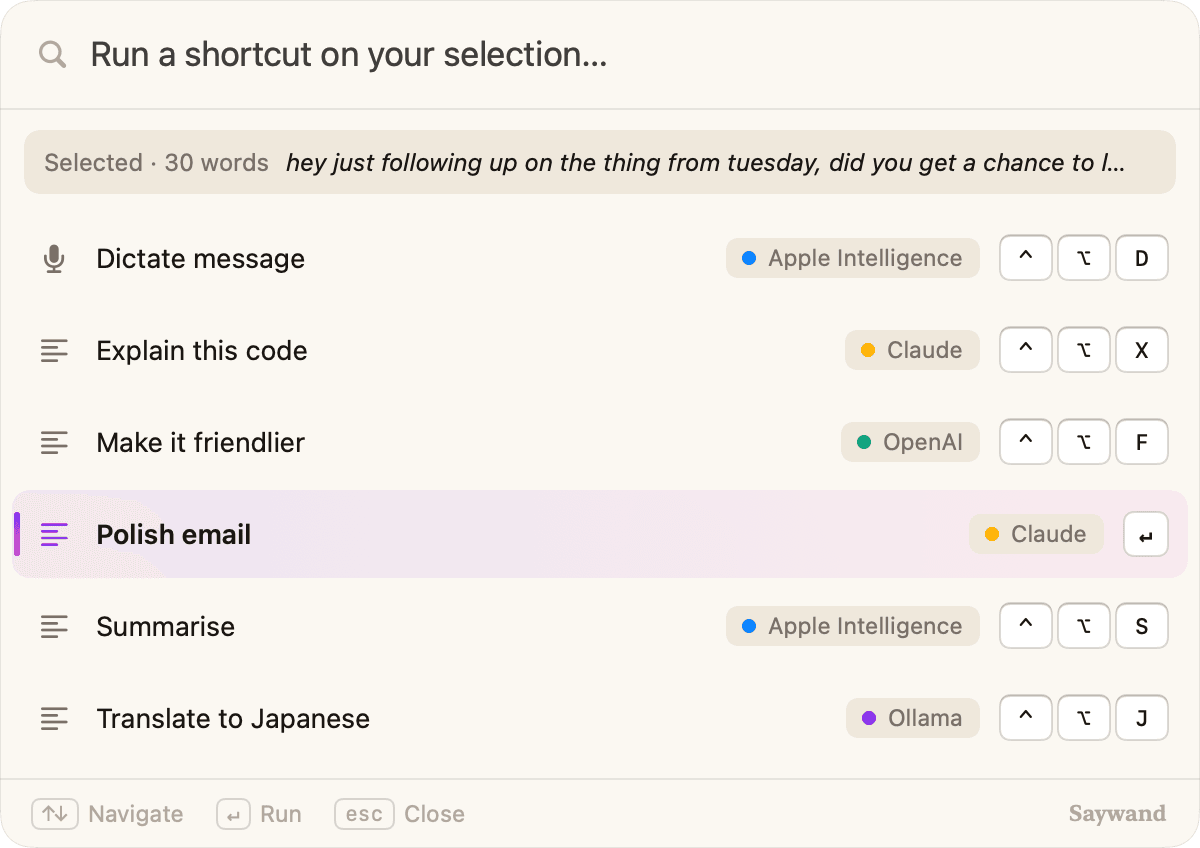
Select text in any app, press ⌃⌥Space and pick a shortcut. Saywand rewrites it in place, or turns your voice into clean writing, using the AI you choose.
Hi Sarah,
hey just following up on the thing from tuesday, did you get a chance to look at the proposal? let me know if you need anything from me before friday
Tom
Works with
 Apple IntelligenceOn-device
- Claude
- OpenAI
- Gemini
- Perplexity
- Grok
- OllamaLocal
How it works
Three steps. No copy and paste.
Saywand lives in your menu bar and works inside the apps you already use.
- 1
Select text anywhere
Mail, Slack, Notes, a browser tab. If you can select it, Saywand can work on it.
wondering if you had a chance to look at the proposal yet
- 2
Press ⌃⌥Space
The quick menu opens over your app, shows what you selected and lists your shortcuts.
⌃⌥Space - 3
Pick a shortcut. Done.
The result replaces your selection in place. Or give a shortcut its own hotkey and skip the menu.
Just checking in on the proposal from Tuesday. Have you had a chance to review it?
Dictation
Talk like you talk.
Send it like you wrote it.
Hold a hotkey and speak naturally. Saywand drops the filler, applies your spoken edits and types the finished message.

You said
“um so can you tell the team the launch is moving to thursdaySaywand wrote
Hi team! Quick update: we're moving the launch to Friday. Thanks for all the hard work getting us here. Let's make it a great one!Push to talk
Hold the hotkey while you speak, let go when you're done.
Understands your edits
Say “scratch that” or “make it more formal” as you go.
Still sounds like you
No “um”s, proper punctuation, your voice intact.
Features
Small app. Big shortcuts.
Your prompts, on hotkeys
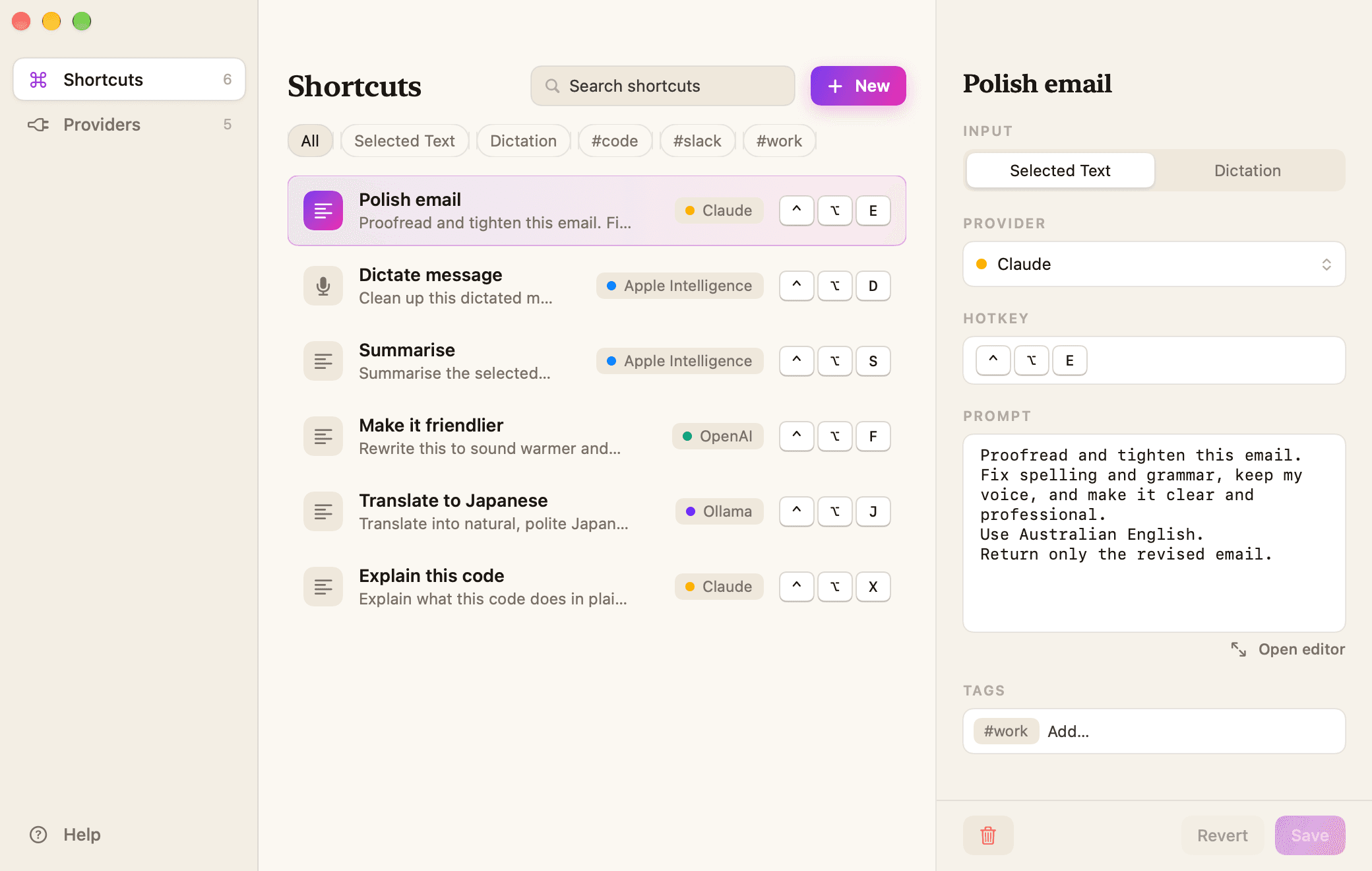
Save a prompt once and run it on any text with its own keystroke. Mix providers per shortcut.
- Polish email⌃⌥E
- Summarise⌃⌥S
- Translate to Japanese⌃⌥J
Free.
No subscription, no account, no ads. Use Apple Intelligence or Ollama and it costs nothing at all.
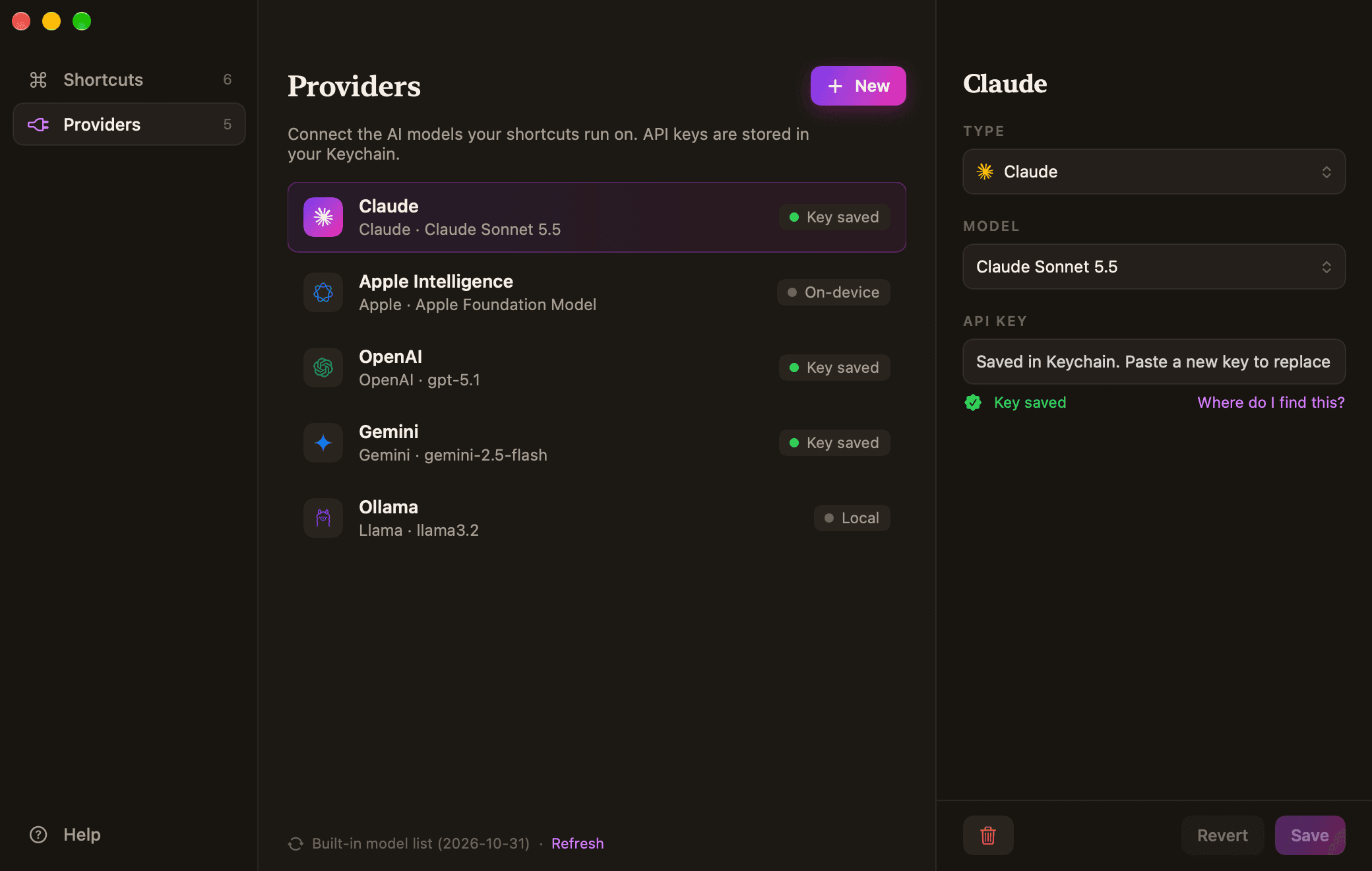
The AI you choose
Seven providers, including on-device and local options.
Private by design
Your text goes only to the provider you pick. Nothing passes through us.
- No account
- No Saywand servers
- Keys in your Keychain
New models, no waiting
The model list updates itself, or type any model ID the day it launches.
claude-sonnet-5-5
gpt-5.1
any-new-model-id
Settings
Set it up once. Use it all day.
Write a shortcut, pick a provider and a hotkey. Saywand remembers the rest.
FAQ
Questions, answered.
Is Saywand free?
Yes. There's no subscription, no account and no ads. If you use a paid provider like Claude or OpenAI, that provider bills you for its API directly. Apple Intelligence and Ollama cost nothing.
Do I need an API key?
Not to get started. Apple Intelligence runs on your Mac and Ollama runs locally, so neither needs a key. To use Claude, OpenAI, Gemini, Perplexity or Grok, add your own key from that provider.
Does Saywand see my text?
No. Saywand has no servers. Your text goes straight from your Mac to the provider you chose, or never leaves your Mac with Apple Intelligence or Ollama.
Which Macs does it run on?
Saywand needs macOS 26 or later. To use Apple Intelligence you also need a Mac that supports it, with Apple Intelligence turned on.
Why does it ask for Accessibility access?
macOS requires it for any app that reads the text you select and types the result back. Saywand only uses it when you run a shortcut, and you can turn it off any time in System Settings.
Can I change the hotkeys?
Yes. Every shortcut can have its own hotkey, and you can change the quick-menu hotkey (⌃⌥Space by default) in Settings.
Something else? Visit support.

Say it. It's written.
Saywand turns the AI you already trust into a keystroke, in every app on your Mac.